






Multiple password policies
A significant limitation with standard password functionality is that only a single complexity rule can be applied across the entire domain, affecting all user accounts in the same way independent of their security risk factor. Specops Password Policy overcomes this restriction by allowing you to specify multiple password policies based on rules you define. Itis based on Group Policy technology, and can be configured in any number of group policies within the Active Directory.
Specops Password Policy offers numerous granular password complexity features to define the rules for a password policy. One example of this is the ability to define lists containing words restricted for use within passwords. It helps your organization to be password policy compliant.
Additional features assist administrators in reseting lost passwords. Examples of this include, bypassing a policy once upon reset, automatically unlocking accounts, and requiring the user to change their password at next logon. These features help lower the burden on administrators when resetting lost passwords.
The Windows password policy solution in action
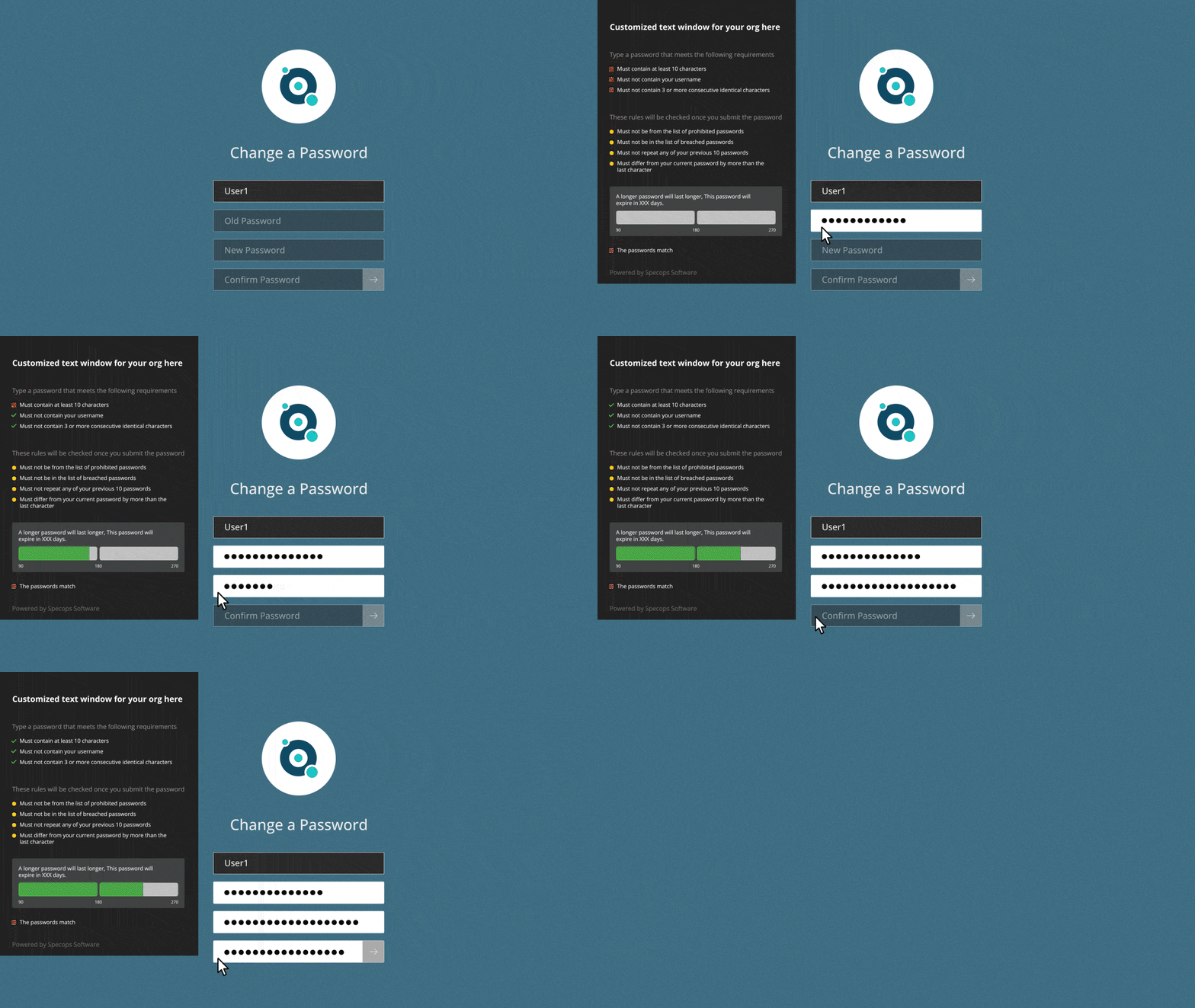
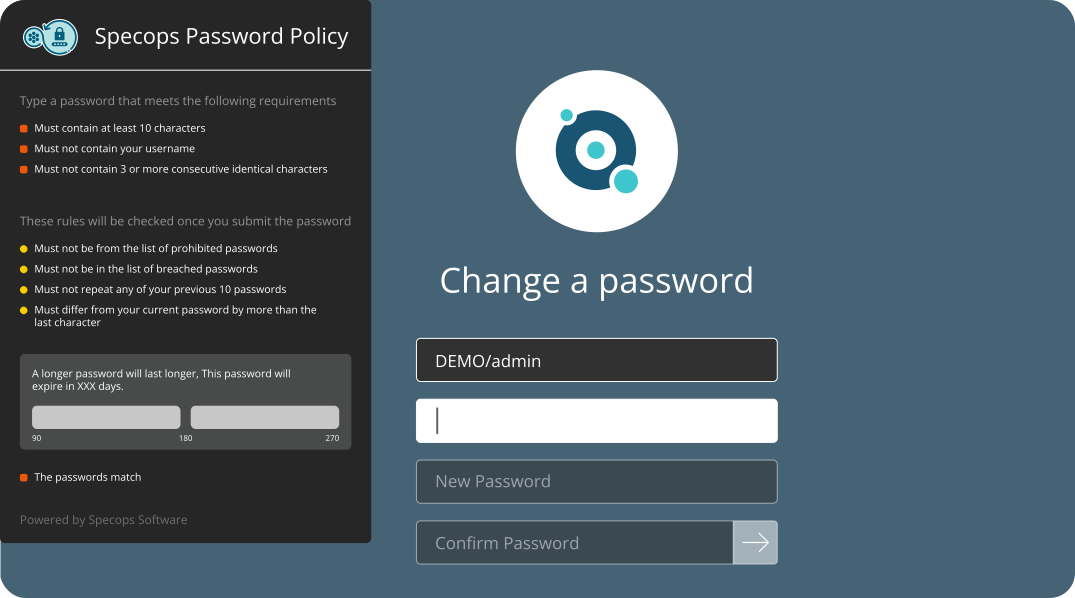
Users attempting to change their passwords receive clear notification of the password rules that apply to them. This feature eliminates most unnecessary calls to the help desk related to understanding the Windows password policy rules and restrictions.
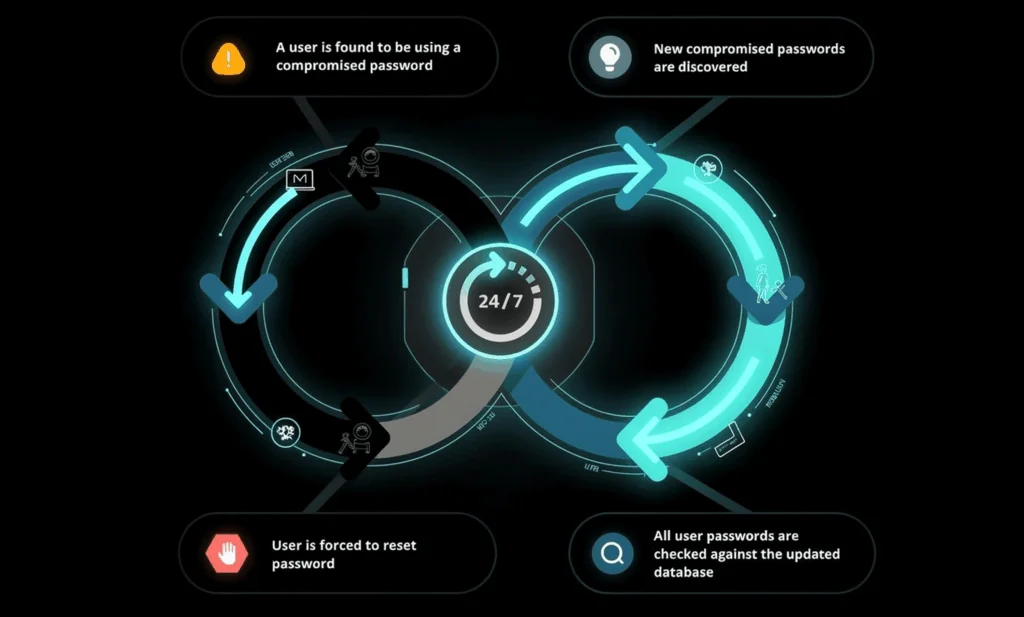
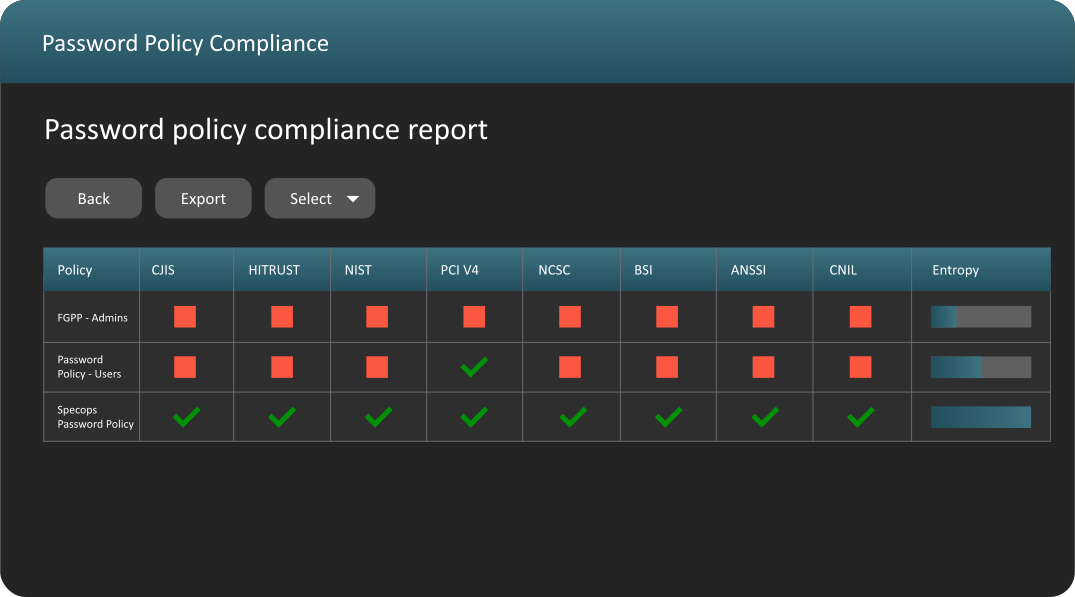
Using Specops Password Policy will strengthen your overall security and ensure your Windows network meets constantly changing password compliancy standards.
Product reviews/articles
Windows IT Pro
4.5 out of 5
"...if you’re contemplating adding a second domain because you have to have another password policy, then I recommend that you make your life easier and check out Specops Password Policy ..." Read more »
Redmond Magazine, Danielle and Nelson Ruest
Pump up your Passwords
"...If you want to enforce better password management in Windows, Specops Password Policy will get you there ..." Read the article in Redmond »
Redmond Magazine, Don "BetaMan" Jones
Password Policy Done Right
"Password Policy is easy to install and easy to use. It provides much more granular control and doesn't have a long learning curve." Read the article in Redmond »
- Set any combination of password restrictions: lower case, upper case, digits, special characters
- Disallow user names in passwords, disallow words from word lists, etc
- Minimum password length
- Maximum password length
- Extended password complexity
- Password reset rules
- Different password expiration rules, commonly called password age, on each policy
- <11 languages supported in the end user password change dialog.
- Graphical Password Complexity meter
- Password History
- Disallow consecutive characters in password
- Dissallow incremental passwords
- Disable account lockout
- Automatically send password expiration e-mail
- Group Policy delegated security model
- Supports automation through Windows PowerShell or .NET
- Support for 64-bit Domain Controllers
- Support for Windows 2008 Server
- Support for Remote Server Administration Tools (RSAT)
- Integration with Specops Password Reset
- Additional password policy requirements; Regular expressions; Disallow backward words in wordlist; Disallow digit as last character
- New password expiration warning e-mail settings; Configurable sender; Exclude password policy requirements
- The administration tool contains a command-line utility (SPOBJMGR.EXE) that can be used to manage SPP sub-objects in Active Directory.
Password Filter Technology
Specops Password Policy employs password filter technology running on each domain controller which enforces the password complexity rules. Optionally, a client side component provides an enhanced end user reset message that assists in meeting the specific complexity rules defined by your organization.
Password Policy & Active Directory
Specops Password Policy snaps directly in to the GPMC console. The user interface is consistent, clear, intuitive and context sensitive help is always available. It will provide a more secure and compliant Windows environment without the need to re-design your network or learn new technologies.
Password Filter Configuration
When creating password policy rules, a number of additional requirements and/or restrictions can be defined, providing exactly the level of password complexity required for each part of your organization.
A well configured password complexity solution not only provides better overall security, it also allows your organization to easily meet password related compliancy requirements in a quick and cost effective manner.
Customer quotes
David Massaro, Coordinator of Technology Resources, Redlands Unified School District, USA:
“The Specops Password Policy / Specops Password Reset Software Solution met our needs. We solved the problems and delivered on our promise to comply with multiple complexity password policies for our higher risk staff user accounts and we also empowered these users to effectively manage their own password resets themselves”
“The third problem we solved was cutting down on the time our IT administrators spent on password management related and password reset issues. Since my System Admin is no longer spending valuable time addressing this issue, he has been able to focus on other more important aspects of our internal operations. By putting the onus on our users for password reset issues means the users now understand the enrolment process, they know how to access the secure web portal with their challenge question(s) process, and they have become aware of the specific password complexity requirements that has/have been assigned to them as part of a specific user group”
Study on password security
Password security is a growing pain as graphic cards and processors improve. Longer and more complex passwords is one of the solutions that Georgia Tech Research Institute acknowledges in their study of how enhanced computing power affects password security »